
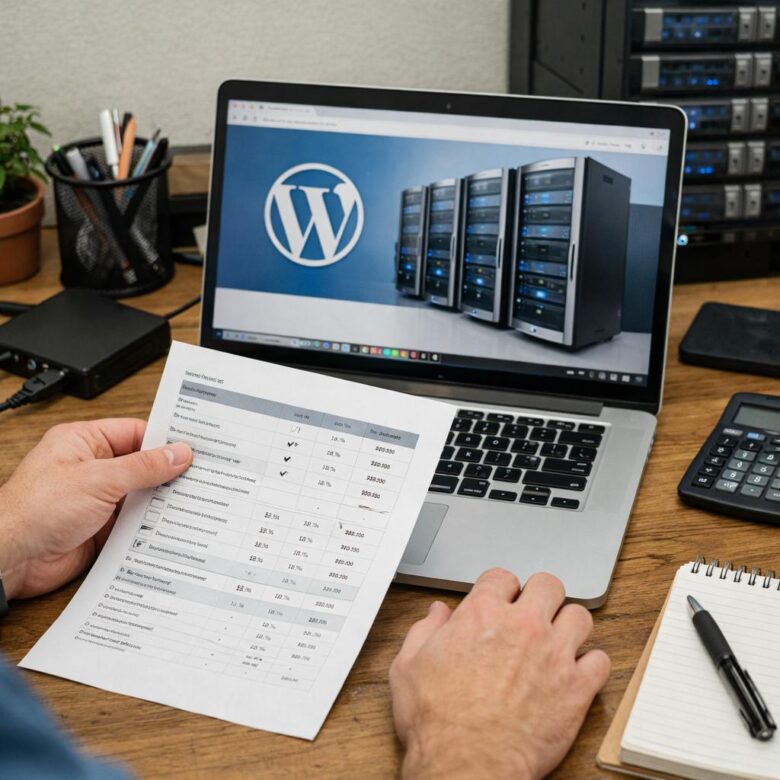
Reliable WordPress hosting is not the cheapest checkout price or the plan with the most extras
A good hosting plan provides the resources, software support, backups, security, management tools, and customer assistance your website needs at a sustainable total cost.
Overpaying usually happens in two ways: buying advanced capacity that the site does not use, or choosing an extremely limited plan that later requires paid add-ons, emergency support, repeated upgrades, or an unplanned migration.
Compare the website’s operating needs before comparing prices
Define what the website does, how often it changes, who maintains it, what information it collects, how much downtime is acceptable, and which technical tasks the owner can handle safely. The right price becomes easier to judge after those needs are clear.
Features that reduce real workload or risk
- Current WordPress-compatible software
- Restorable file and database backups
- Clear resource limits
- Responsive support within a defined scope
- Reliable HTTPS and account protection
- A practical upgrade and migration path
Features purchased only because they sound impressive
- Huge storage that will remain unused
- Support for many websites when only one is needed
- Premium themes or SEO tools already available elsewhere
- Enterprise capacity for a small new blog
- Long contracts accepted before testing the service
- Add-ons that duplicate existing products
Calculate the normal renewal price, billing term, domain, email, backups, migration, security, support, taxes, add-ons, overages, and the cost of leaving the provider.
Start by defining the type of WordPress website
Traffic is only one part of hosting demand. Logged-in users, searches, checkout, bookings, comments, imports, backups, page builders, advertisements, email, video, large images, scheduled jobs, and third-party integrations can increase resource use.
Personal blog
Usually needs simple management, HTTPS, backups, reasonable storage, caching, and dependable support.
Company website
Prioritizes uptime, contact forms, email delivery, backups, security, and rapid recovery because missed leads have value.
Store or membership
Requires stronger database performance, uncached processing, frequent backups, staging, security, and specialized support.
Active content site
Benefits from reliable page caching, media optimization, traffic capacity, advertising stability, and easy restoration.
Confirm that the hosting environment meets current WordPress needs
A plan should not merely advertise one-click WordPress installation. It should provide a supported environment that can run current WordPress versions and the plugins and theme required by the project.
Current WordPress hosting baseline
Also confirm that you can choose a supported PHP version, view errors, manage databases, create backups, use secure file access, schedule tasks, and restore the website after a failed change.
A provider should offer a practical path to supported PHP and database versions. Before changing versions on a live site, create a backup and verify theme and plugin compatibility.
Understand the full pricing structure
Hosting prices are often displayed using the lowest possible effective monthly rate. That figure may require a long prepaid term and may apply only to the initial purchase.
The discounted price for the first billing period. Confirm which term is required and whether the full amount is charged in advance.
The normal amount charged after the promotional period. Use this figure when estimating long-term affordability.
Monthly, annual, or multi-year billing changes both the effective price and the difficulty of leaving after a disappointing experience.
Confirm whether it is enabled, when the payment is collected, which payment method is used, and how renewal reminders are delivered.
Review deadlines and exclusions involving domains, migrations, licenses, setup charges, add-ons, overages, and monthly plans.
Determine how long files, databases, email, backups, and account access remain available after cancellation or failed payment.
The total cost has three parts
A more expensive plan can provide better value when it replaces services and technical work you would otherwise purchase separately. A lower-priced plan can be a better choice when it already meets the website’s needs without hidden limitations.
Look beyond storage and bandwidth
A WordPress website also depends on processing, memory, database activity, storage speed, simultaneous requests, and file quantities. A plan can advertise generous disk space while restricting the resources that determine how the site behaves under real activity.
Processing capacity
Used by PHP, plugins, imports, backups, image processing, searches, scheduled tasks, and uncached requests.
Memory
Affects PHP processes, database work, large imports, page builders, ecommerce operations, and administrator tasks.
Workers and processes
Determine how many dynamic requests can be processed at the same time before visitors must wait or receive errors.
Storage performance
Disk throughput and operations can affect databases, file scans, cache creation, backups, imports, and media processing.
Database limits
Review database size, connections, supported engines, remote access, query pressure, and backup procedures.
Inodes or file quantities
Images, cache files, email, logs, plugins, backups, and staging copies can reach a file-count limit before storage is full.
Read the acceptable-use and resource policies. A provider may still limit CPU, memory, processes, file quantities, databases, email activity, backups, storage use, or workloads that affect other customers.
Features that can justify a higher price
Complete backups with usable restoration
WordPress normally requires both the website files and database for a complete recovery. A backup feature is valuable when it explains coverage, frequency, retention, storage, restoration, export, and failure monitoring.
- Are files and databases included?
- How many restore points are retained?
- Can the customer download an independent copy?
- Is restoration self-service or handled by support?
- Does restoration cost extra?
- Are failed backup jobs reported?
A protected staging environment
Staging can reduce risk by allowing updates, redesigns, imports, plugin changes, and custom code to be tested away from visitors.
Confirm how staging copies are protected, whether outgoing email and payments are disabled, whether search indexing is blocked, and how changes are moved back to production.
Integrated caching and performance tools
Reliable page caching can reduce repeated PHP and database work for eligible public pages. CDN integration, object caching, current PHP versions, and resource monitoring may also improve the operating foundation.
- Which pages are cached
- How logged-in users and ecommerce pages are excluded
- Whether a CDN is included or separately billed
- How the cache is cleared
- What resource limits remain after caching
Meaningful security controls
HTTPS, account isolation, multifactor authentication, malware scanning, firewalls, software maintenance, secure file access, and incident monitoring are different protections.
- Malware scanning with malware cleanup
- HTTPS with complete website security
- A firewall with protected administrator accounts
- Automatic updates with guaranteed compatibility
- Provider backups with an independent recovery plan
Support that can solve the problems you expect
“24/7 support” describes availability, not necessarily technical scope. The team may assist with hosting availability while excluding plugin conflicts, custom code, malware cleanup, database repair, email reputation, or performance optimization.
- Can support restore yesterday’s database?
- Will it investigate a 503 error?
- Does it help with DNS and SSL problems?
- Will it troubleshoot a failed WordPress migration?
- What requires a separate developer?
Migration assistance and portability
A migration may involve files, database, HTTPS, redirects, DNS, email, scheduled tasks, user-generated data, payment callbacks, caching, CDN settings, and final testing.
Confirm what is included and ensure that files and databases can later be exported if you decide to leave.
A good backup promise answers six questions
Features that may not deserve an upgrade
Pay more when the feature has a clear purpose
- Additional resources for measured demand
- Frequent backups for changing data
- Staging for regular development
- Support that reduces maintenance work
- Security appropriate to the website’s risk
- Faster recovery for revenue-producing sites
Avoid paying more only for the label
- Large storage with no realistic use
- Unlimited installations you will not create
- Premium themes you did not choose
- Bundled SEO tools that duplicate existing plugins
- Advanced developer features for a simple blog
- Capacity based only on imagined future traffic
A bundled feature is not free merely because it appears inside the plan. Its cost is included in the price. Count it as value only when it replaces something the website genuinely needs.
Choose the appropriate hosting category
Quality shared hosting
- Suitable for many new blogs and small sites
- Usually easier and less expensive
- Provider manages the main server platform
- Resource and file limits must be reviewed
- Backups and support scope vary
Managed WordPress hosting
- Useful when convenience and support have value
- May include caching, staging, backups, and updates
- Can restrict plugins or server access
- May not include email or every security service
- The management scope must be confirmed
VPS or cloud server
- Useful for custom requirements or measured growth
- Can provide more control and defined resources
- Management may be separate
- Unmanaged plans require technical administration
- Cost includes server maintenance and recovery work
Operating-system updates, firewall configuration, monitoring, certificates, backups, malware response, performance tuning, migrations, and emergency recovery may become your responsibility.
Test support before depending on it
Send a realistic question
Ask what would happen if an update made the WordPress administrator area unavailable and you needed to restore the files and database from the previous day.
This reveals more than asking whether the provider offers “expert WordPress support.”
Evaluate the answer
- Did the representative answer the exact scenario?
- Was backup retention explained?
- Was restoration included or separately billed?
- Were support exclusions stated clearly?
- Was relevant documentation provided?
- Could a beginner understand the next step?
A provider may acknowledge a ticket quickly but require investigation, escalation, customer action, or a specialist before the underlying problem is solved.
How to test a hosting plan after purchase
No provider can guarantee how an unknown combination of theme, plugins, images, advertisements, database activity, and traffic will behave. Test the actual website while the refund period and old hosting account are still available.
Keep an independent backup
Save the files and database outside both hosting accounts before migration or major testing begins.
Copy the website before changing DNS
Test the new environment while the original website remains available.
Check important page types
Review the homepage, articles, categories, search, contact, login, checkout, account pages, forms, and mobile navigation.
Measure realistic performance
Test cached and uncached pages, administrator actions, database-heavy features, uploads, external scripts, and traffic periods that resemble actual use.
Test support and restoration
Open a support request, locate the backup interface, create a manual restore point, and confirm how recovery would work.
Review resource reports
Check CPU, memory, storage, PHP workers, processes, databases, bandwidth, file counts, errors, and limits after normal activity.
Switch traffic and monitor
After changing DNS, monitor uptime, forms, email, HTTPS, redirects, caching, analytics, errors, orders, and administrator access.
Cancel the old service only after verification
Keep the previous account until the new environment, backups, email, DNS, and important website functions have been confirmed.
A practical provider scorecard
Does the plan support current PHP, database, HTTPS, required extensions, plugins, theme, cron tasks, and file access?
Are the initial price, renewal, billing term, add-ons, refunds, automatic renewal, taxes, and cancellation terms clear?
Are CPU, memory, storage, PHP workers, processes, bandwidth, databases, inodes, email, and overage rules understandable?
Are coverage, frequency, retention, storage separation, restoration, monitoring, and export access documented?
Does the provider explain account isolation, MFA, HTTPS, patching, scanning, cleanup, monitoring, and incident responsibilities?
Are caching, CDN, server resources, data-center location, current software, logs, and usage reports available?
Are the channels, hours, response expectations, technical scope, escalation process, and excluded tasks published?
Can the site be upgraded, downgraded, exported, migrated, and cancelled without losing access to essential data?
Warning signs that can lead to overpayment
The renewal price is hidden or difficult to find before checkout.
The lowest price requires a long prepaid commitment before the service can be evaluated.
“Unlimited” features are promoted without clear resource and acceptable-use policies.
Backups are advertised without frequency, retention, restoration, or export details.
Malware scanning is presented as though it includes complete cleanup and recovery.
The provider cannot explain which WordPress problems support will investigate.
The plan includes many branded add-ons but provides little information about processing limits.
The domain is registered through an account that the website owner does not control.
Files and databases cannot be downloaded before cancellation.
The only solution offered for every performance problem is purchasing a larger plan.
Final checklist before paying
Confirm every applicable point
- The plan matches the current website type
- The normal renewal price is known
- The required billing term is acceptable
- Automatic renewal behavior is understood
- Refund exclusions have been reviewed
- Current WordPress requirements are supported
- PHP versions can be changed when needed
- Resource limits are published
- File-count limits are known
- The preferred data-center location is available
- HTTPS certificates renew automatically
- Backup coverage is documented
- Backup retention is sufficient
- An independent copy can be downloaded
- The restoration process is understood
- Support scope has been tested
- Malware scanning and cleanup are distinguished
- Staging is available when required
- Email requirements are covered
- Migration coverage is documented
- Plugin restrictions have been reviewed
- The website can be exported later
- The domain remains under owner control
- Upgrade and downgrade options are clear
- Cancellation data retention is known
- Unnecessary checkout add-ons have been removed
The practical conclusion
Choosing reliable WordPress hosting without overpaying requires comparing the complete operating service rather than the promotional monthly price.
Pay for features that solve real problems: supported software, clear resources, restorable backups, appropriate security, useful support, reliable performance tools, and a safe migration path.
Avoid paying for excessive storage, unused installations, duplicate tools, vague “managed” promises, or capacity based only on imagined future traffic.
Start with a plan that comfortably supports the website today, monitor actual usage, keep an independent backup, and upgrade when evidence—not marketing—shows that more resources or management are needed.
Frequently asked questions
Is the cheapest WordPress hosting plan always a bad choice?
No. An entry-level plan can be suitable when it provides supported software, sufficient resources, HTTPS, usable backups, clear pricing, and dependable support for a small website. The problem is choosing by price without checking limitations.
How much hosting does a new WordPress blog need?
Many new blogs can begin on quality shared hosting. Storage needs are often modest, but image sizes, email, backups, staging copies, plugins, file-count limits, and traffic patterns should still be considered.
Should I pay for managed WordPress hosting immediately?
It depends on the value of the website, your technical skills, and the exact services included. Managed hosting can be worthwhile when backups, staging, support, monitoring, and maintenance reduce meaningful work or risk.
What is more important than unlimited storage?
Processing capacity, memory, PHP workers, database performance, storage speed, file quantities, caching, backups, support, and recovery often affect WordPress operation more directly than a large storage allowance.
Are hosting-provider backups enough?
They can be one useful layer, but keep an independent copy outside the production hosting account. Verify that files and databases are included and that restoration has a clear process.
Does more expensive hosting automatically improve website speed?
Not automatically. Stronger resources may help when the current server is the bottleneck. Large images, heavy themes, plugins, advertisements, external scripts, database queries, and poor caching may remain slow after an upgrade.
Should email be included with WordPress hosting?
It depends on the project. Included email may be convenient for a small site, while a separate professional email service may provide better administration, deliverability, storage, or continuity for business-critical communication.
How can I avoid renewal-price surprises?
Record the normal renewal amount, billing date, billing term, add-ons, domain renewal, currency, taxes, and automatic-renewal settings before completing the purchase.
When should WordPress move to a VPS?
Consider a VPS when an optimized site repeatedly reaches shared-hosting limits, needs custom server software, requires more predictable resources, or supports important dynamic activity. Choose managed service when no one can safely administer the server.
What is the best way to compare two hosting plans?
Compare the same categories: renewal price, technical compatibility, real resource limits, backups, security, performance tools, support scope, migration, email, restrictions, and export access. Do not compare only the feature count.
Editorial note: This guide was prepared by the HostingMug Editorial Team using official WordPress hosting, requirements, backup, security, performance, upgrade, and migration documentation. It does not claim that a particular hosting provider or plan was directly tested for this article.
Hosting prices, renewal terms, limits, software versions, support scopes, backup policies, and included features can change. Confirm important information directly with the provider before purchasing or migrating a production website.
Official references and further reading
- WordPress.org — Current WordPress hosting requirements
- WordPress.org — Hosting WordPress
- WordPress Developer Resources — WordPress backups
- WordPress Developer Resources — Hardening WordPress
- WordPress Developer Resources — Performance optimization
- WordPress Developer Resources — Upgrading WordPress
- WordPress Developer Resources — Migrating WordPress
- Google Developers — About PageSpeed Insights
The HostingMug Editorial Team creates practical, easy-to-understand content about web hosting, WordPress, website performance, security, servers, and online infrastructure. Our goal is to help website owners and beginners make informed decisions, solve common technical problems, and build faster, safer, and more reliable websites.