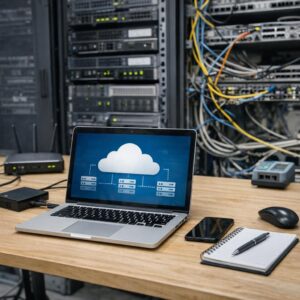

A secure cloud server requires protected accounts, limited exposure, continuous visibility, and a recovery plan
Moving a website, customer portal, CRM, database, or business application to the cloud does not transfer every security responsibility to the provider. The provider protects defined parts of the cloud platform, while the customer may still control identities, permissions, operating systems, firewall rules, applications, data, backups, and monitoring.
Small businesses should begin with a manageable security baseline rather than a collection of expensive tools. Protect the account that owns the environment, remove unnecessary internet exposure, keep supported software current, preserve independent backups, and ensure that someone receives and responds to important alerts.
Secure identities first
The owner, billing, email, domain, administrator, deployment, and recovery accounts can control more of the business than the server itself.
Expose only what must be public
Public visitors normally need the website or API—not unrestricted access to SSH, RDP, databases, caches, storage administration, or control panels.
Assume recovery will be needed
Backups, restoration instructions, account recovery, logs, ownership records, and incident contacts should exist before an emergency.
A firewall, SSH, identity, or network change can lock out the legitimate administrator. Create a current backup, preserve console or recovery access, document the original setting, and test each change before ending the active session.
Understand the shared responsibility model
Security responsibilities depend on the service selected. A raw virtual machine gives the customer more control and more maintenance work. A managed application or database service transfers additional platform tasks to the provider, but the customer still controls important identities, data, access, application, and configuration decisions.
| Security area | Cloud provider may manage | Small business may still manage |
|---|---|---|
| Physical infrastructure | Data centers, physical servers, core networking, power, cooling, and hardware replacement. | Selecting an appropriate provider, region, service, and recovery architecture. |
| Virtualization | Hypervisor and underlying host platform for virtual machine services. | The guest operating system, applications, users, firewall configuration, and server data. |
| Operating system | Managed by the provider in some platform services. | Usually managed by the customer on a normal cloud VPS or virtual machine. |
| Identity | Authentication and authorization tools. | Creating users, requiring MFA, assigning roles, removing access, and protecting recovery methods. |
| Network | Physical network and cloud firewall capabilities. | Public exposure, firewall rules, segmentation, remote administration, DNS, and service-to-service access. |
| Applications | Selected runtime components in managed services. | Application code, WordPress, plugins, dependencies, secrets, forms, uploads, and configuration. |
| Data | Storage infrastructure and available encryption features. | Classification, permissions, retention, public access, backup scope, legal obligations, and deletion decisions. |
| Recovery | Backup, snapshot, replication, and restoration features when included. | Selecting, configuring, monitoring, protecting, documenting, and testing the recovery process. |
When using a managed provider, consultant, or agency, document who handles operating-system updates, firewall rules, WordPress maintenance, backups, restoration, malware response, monitoring, DNS, email, certificates, and emergency access.
Use a complete security framework
The NIST Cybersecurity Framework 2.0 gives small businesses a practical way to organize security work. It prevents the checklist from focusing only on prevention while ignoring ownership, detection, response, and recovery.
Assign responsibility
Define owners, policies, risk decisions, supplier expectations, legal requirements, budgets, and executive oversight.
Know what exists
Inventory accounts, servers, applications, data, domains, backups, integrations, regions, vendors, and critical dependencies.
Reduce preventable risk
Apply MFA, least privilege, patching, encryption, firewall controls, secure configuration, backups, and staff procedures.
Recognize abnormal activity
Collect useful logs, monitor important services, detect unusual access, and send actionable alerts to responsible people.
Contain and investigate
Preserve evidence, restrict compromised access, communicate, obtain specialist assistance, and correct the entry point.
Restore trusted operation
Recover data and services, verify customer functions, monitor for reinfection, document lessons, and improve the controls.
Build an accurate cloud inventory
Forgotten resources create risk. A business may secure the main production server while leaving an old test instance, public database, unused access key, abandoned storage bucket, contractor account, or expired backup process exposed.
List every resource and its purpose
Record production, staging, testing, databases, storage, snapshots, load balancers, IP addresses, DNS zones, certificates, monitoring tools, email services, repositories, deployment systems, and backup locations.
- Business owner and technical owner
- Provider, account, project, subscription, or region
- Public or private accessibility
- Data stored or processed
- Backup and recovery requirement
- Expected cost and deletion procedure
Identify important and sensitive information
Determine where customer records, orders, payment references, support messages, employee information, access logs, backups, documents, credentials, and business configuration are stored.
Avoid collecting or retaining information that the business does not need. Less unnecessary data means fewer records to protect, monitor, back up, disclose, and delete safely.
Confirm business ownership of critical accounts
The company should control the cloud owner account, primary email, billing profile, domain registrar, DNS, code repository, backup storage, encryption recovery information, and emergency contacts.
Do not leave permanent ownership exclusively with a freelancer, former employee, agency, or personal email address that the business cannot recover independently.
Protect the cloud account before the server
The account owner can create, delete, expose, copy, or resize the entire environment
Security keys and passkeys can provide stronger resistance to credential phishing than codes copied from messages. The exact options depend on the provider and identity system.
Secure remote administration
SSH, Remote Desktop, database consoles, hosting panels, orchestration dashboards, and administrative APIs should not be exposed broadly simply because they need occasional maintenance.
High-risk exposure patterns
- SSH or RDP open to every internet address
- Direct root or administrator login
- Password-only remote access
- Public database or cache ports
- Shared credentials between staff and contractors
- Long-lived keys stored in messages or documents
- Management panels without MFA
Safer administration patterns
- Provider-managed session access where suitable
- VPN, private network, bastion, or identity-aware access
- Source restrictions for approved administrators
- Individual accounts and least privilege
- SSH keys or temporary credentials
- MFA for the identity controlling remote access
- Logs and alerts for privileged sessions
Create and test the replacement administrator account, key, VPN, or managed session method before disabling the existing login. Keep the current session open until the new path has been verified from another device.
Restrict network exposure
Begin with no unnecessary public access and add only the traffic required by the application. Document why every public rule exists, who owns it, and when it should be removed.
Expose only public-facing services
Ordinary websites normally require HTTPS. HTTP may remain available only to redirect visitors safely to HTTPS. Administrative, database, cache, internal API, and monitoring ports should remain private unless there is a documented exception.
- Port and protocol
- Permitted source
- Business purpose
- Resource receiving the traffic
- Rule owner
- Expiration or review date
Separate application layers
Keep databases, caches, internal storage, control services, and administrative interfaces away from direct public access. Permit only the application components and administrators that require them.
A firewall rule should identify the required source whenever possible rather than allowing access from every address.
Understand outbound communication
Servers may need software repositories, payment APIs, email services, monitoring, backup storage, DNS, and other external destinations. Unexpected outbound traffic can indicate malware, data theft, spam, or unauthorized cryptocurrency mining.
Monitor unusual destinations and large changes in outgoing traffic. Restrict outbound communication where the architecture and operational capability allow it safely.
Use layered web protection where justified
A CDN, reverse proxy, web application firewall, rate controls, bot controls, and DDoS protection can help reduce abusive traffic and common web attacks.
These services do not replace secure application code, software updates, access controls, monitoring, and backups. Test rules carefully so legitimate customers are not blocked.
Harden and maintain the operating system
On a normal cloud virtual machine, the customer usually manages the guest operating system. Use a currently supported image from a trusted source and keep a record of the operating system, release, repositories, installed services, and maintenance owner.
| Control | What to verify | Common failure |
|---|---|---|
| Supported release | The operating system still receives security updates and the upgrade path is documented. | An old image remains online because the application has never been tested on a current release. |
| Security updates | Updates are monitored, tested, applied, and verified with a current rollback or backup. | Automatic updates are assumed to work even though the service is disabled or repeatedly failing. |
| Installed software | Only required packages, services, modules, agents, and language runtimes remain installed. | Temporary debugging tools and unused servers remain active indefinitely. |
| Service accounts | Applications run with minimum necessary permissions rather than unrestricted administrative access. | Web applications and scheduled jobs run as root or a full administrator. |
| Host firewall | The operating-system firewall agrees with the cloud network rules and has a documented recovery method. | A cloud rule is restricted while the host firewall exposes an unexpected service through another interface. |
| Time synchronization | Server time remains accurate for logs, certificates, authentication, and investigation. | Different systems record conflicting event times, making an incident difficult to reconstruct. |
| Restart requirement | The team knows when a security update requires a service or server restart. | Packages are updated but the vulnerable running process is never restarted. |
Not every update has identical urgency. Prioritize actively exploited vulnerabilities, internet-facing services, privileged systems, identity infrastructure, and software protecting important data.
Secure applications, WordPress, and dependencies
A patched operating system can still host a vulnerable application. Maintain the content management system, plugins, themes, frameworks, language packages, libraries, container images, web server, database client, and administrative tools.
Remove unnecessary software
Delete abandoned plugins, themes, packages, demo applications, test panels, old deployments, installation archives, database exports, temporary scripts, and tools that no longer have a business purpose.
Disabling a component does not always remove its files, account, port, scheduled task, or configuration.
Use a controlled update process
Create a current backup, review compatibility, test meaningful changes in staging, apply the update, and verify login, forms, search, checkout, scheduled jobs, email, API integrations, and monitoring.
An automatic update feature is valuable only when failures are reported and recovery is possible.
Protect forms and file uploads
Validate input, restrict allowed file types, generate safe filenames, limit file size, scan files where appropriate, store uploads outside executable locations, and protect private submissions from public access.
Rate controls and spam protection can reduce automated abuse but should not replace server-side validation.
Limit administrative interfaces
Protect application dashboards, database administration tools, deployment panels, monitoring interfaces, and WordPress administrators with individual accounts, MFA where supported, strong session controls, and restricted network access when practical.
Protect secrets and machine credentials
Database passwords, API keys, cloud access keys, encryption keys, webhook secrets, email credentials, payment tokens, deployment credentials, and private certificates should not be stored casually in source code, public repositories, shared chat messages, or unprotected backup archives.
When the platform supports roles, service identities, federation, or short-lived tokens, applications can access required services without storing a permanent user key on the server.
- Grant each secret access only to the application or person that needs it.
- Separate production, staging, testing, and development credentials.
- Record the owner and purpose of every long-lived key.
- Rotate credentials after staff changes, vendor changes, suspected exposure, or accidental publication.
- Remove credentials from logs, screenshots, tickets, exported configurations, and documentation intended for general access.
- Ensure that backups containing secrets receive appropriately restricted access.
Protect databases, storage, and business data
Cloud storage can become public through permissions, object policies, shared links, access keys, application errors, or copied backups. Review access at the account, project, resource, object, application, and network levels.
| Data area | Security questions | Recovery questions |
|---|---|---|
| Database | Is it private? Which applications and administrators can connect? Are permissions limited? | Are consistent backups available? Is point-in-time or transaction recovery required? |
| Object storage | Is public access intentional? Are write, delete, and administrative permissions restricted? | Are versioning, retention, lifecycle, or deletion-recovery features appropriate? |
| Attached disks | Are old volumes detached but still accessible? Is sensitive data encrypted and permissioned? | Can the disk be restored independently, and does the application require a matching database state? |
| Backups | Can a compromised production administrator delete every copy? Are backup accounts protected by MFA? | Can the business restore without the original server, account, or provider? |
| Logs | Do logs contain passwords, tokens, private requests, personal information, or payment data? | Are incident-relevant logs retained long enough and protected from unauthorized alteration? |
Build a backup system that can survive the incident
Backup frequency should reflect how quickly the business data changes and how much information can be lost. A mostly static website and a store receiving orders throughout the day may require different recovery points.
Protect the complete service
Include applications, databases, uploads, configuration, DNS records, certificates, deployment information, and required access documentation.
Keep an independent copy
At least one important recovery copy should not depend on the same server, credentials, project, or ordinary deletion path as production.
Retain several restore points
A compromise, application error, or accidental deletion may remain unnoticed until the newest copy also contains the problem.
Restrict modification and deletion
Use separate permissions and retention or immutability features where appropriate and supported by the service.
Document the recovery order
Explain who restores each component, which credentials are needed, and how DNS, databases, files, applications, and integrations are verified.
Prove that recovery works
Restore into a controlled environment and verify data, login, forms, jobs, email, permissions, and business functions.
A server snapshot may not include an external database, object storage, DNS, identities, secrets, email, application documentation, or data created after the snapshot. Confirm exactly what each recovery feature protects.
Define recovery objectives
Use two business questions to design the backup and recovery plan:
- Recovery Point Objective: How much recent data could the business afford to lose?
- Recovery Time Objective: How long could the service remain unavailable before the impact becomes unacceptable?
A store, booking platform, membership system, CRM, internal file service, and brochure website may require different answers. Avoid copying a generic backup schedule without connecting it to these objectives.
Collect logs and create actionable alerts
Logs are useful only when they are enabled, retained, protected, understandable, and reviewed. Monitoring should cover both technical infrastructure and important business functions.
Identity
Owner-account use, failed logins, MFA changes, new users, role changes, new keys, unusual locations, and recovery changes.
Network
Firewall changes, new public services, unusual source addresses, scanning activity, blocked requests, and outbound traffic changes.
Server
CPU, memory, disks, new processes, privileged access, software changes, service failures, malware alerts, and unexpected restarts.
Business
Website availability, certificate renewal, form delivery, signup, checkout, booking, backup completion, and unusual cloud spending.
Document who receives it, how quickly it should be reviewed, what information to check, who can approve containment, and how the issue is escalated outside normal working hours.
Treat unexpected cloud spending as a security signal
Stolen credentials or compromised servers may be used to create resources, send spam, host malicious content, transfer data, or perform unauthorized cryptocurrency mining.
- Separate production, staging, development, and experimental costs.
- Use consistent resource labels or tags.
- Create actual and forecast spending alerts.
- Monitor new regions, resources, disks, IP addresses, databases, and access keys.
- Investigate unexpected compute, data-transfer, storage, and logging growth.
- Restrict who can create expensive services or disable billing alerts.
Billing tools commonly send notifications after actual or forecast spending reaches a threshold. Do not assume that an alert automatically stops compromised resources unless a safe and tested response has been configured.
Review providers, contractors, and managed services
A managed provider can be valuable when the business lacks time or expertise to maintain operating systems, firewalls, monitoring, backups, databases, and incident response. The service must still be evaluated carefully.
| Question | What a useful answer should explain |
|---|---|
| Who patches the server? | Operating-system scope, application exclusions, maintenance windows, restart handling, testing, and reporting. |
| Who manages the firewall? | Which layer is covered, who approves changes, how emergency access works, and how rules are reviewed. |
| What does monitoring include? | Uptime, operating system, application, backups, certificates, security, logs, response hours, and escalation. |
| Are backups included? | Coverage, frequency, retention, storage separation, deletion protection, restoration, export, and testing. |
| Is malware cleanup included? | Detection, containment, investigation, file and database cleanup, credential rotation, restoration, and reinfection response. |
| Who owns the accounts? | The business should retain control of the domain, cloud owner, billing, email, backups, data, and export process. |
| How does support respond? | Channels, operating hours, response targets, severity definitions, escalation, emergency contact, and excluded work. |
A practical implementation sequence
The sequence below is a prioritization example, not a universal deadline. Adjust it according to exposure, data sensitivity, business impact, existing compromise indicators, and available technical support.
Immediate risk reduction
- Protect the cloud owner and primary email with MFA.
- Remove unknown users and exposed credentials.
- Close unnecessary public ports.
- Check for public databases and storage.
- Create an independent current backup.
- Review unresolved security and billing alerts.
Security foundation
- Create individual user roles.
- Replace public administration with safer access.
- Patch supported operating systems and applications.
- Centralize important logs.
- Configure backup retention and monitoring.
- Document ownership and provider responsibilities.
Ongoing improvement
- Test restoration and incident response.
- Review unused permissions and resources.
- Improve segmentation and outbound monitoring.
- Automate secure deployment and configuration.
- Review vendor and compliance requirements.
- Measure security work against business risk.
Example operating routine
Security should follow the rate of change and risk of the environment. The following categories can be adapted rather than applied as rigid universal schedules.
Watch critical availability, certificate, backup, identity, security, and billing alerts. Escalate conditions that require immediate action.
Verify access, firewall behavior, application functions, monitoring, backups, logs, and the rollback path.
Examine updates, public exposure, privileged users, long-lived credentials, unused resources, storage access, failed jobs, and unusual costs.
Restore a representative backup, test emergency access, verify incident contacts, review supplier responsibilities, and update documentation.
Remove accounts, revoke sessions, rotate shared secrets, transfer ownership, review repositories, and confirm that recovery access remains with the business.
What to do when compromise is suspected
Contain carefully without destroying useful evidence
An unexpected administrator, firewall change, access key, process, outbound connection, billing spike, public object, malware warning, or altered website may indicate compromise.
Document the symptoms. Record times, alerts, users, addresses, resources, files, processes, network activity, costs, and recent changes.
Protect the control plane. Secure the owner account, recovery email, domain, identity provider, billing access, and administrator sessions from a trusted device.
Contain the affected resource. Restrict network access, disable exposed credentials, stop malicious activity, or isolate the server according to the incident plan.
Contact appropriate support. Notify the cloud provider, managed-service team, security specialist, insurer, legal adviser, or other required parties.
Identify the original entry point. Investigate credentials, software vulnerabilities, public services, storage permissions, third-party integrations, unsafe uploads, and administrator devices.
Recover from a trusted source. Rebuild or restore using verified software and data rather than assuming that deleting visible malware is sufficient.
Verify and monitor. Confirm identities, permissions, firewall rules, applications, data, backups, DNS, email, logs, business functions, and billing before returning to normal operation.
The incident may involve active sessions, API keys, SSH keys, service identities, email recovery, browser tokens, domain access, repositories, backups, database accounts, or an unpatched application.
Common cloud server security mistakes
The owner or root account is used for normal daily administration.
Several people share one unrestricted administrator login.
SSH, RDP, databases, caches, or control panels are open to the entire internet.
Permanent cloud access keys are stored inside code, plugins, images, or public repositories.
The operating system is unsupported or updates are enabled but never verified.
Unused packages, demo applications, test servers, and contractor accounts remain active.
The database or object storage is public without a documented business requirement.
Backups use the same credentials and deletion permissions as production.
A snapshot is assumed to include external databases, storage, DNS, email, and account configuration.
Logs are collected but nobody owns the alerts or knows how to investigate them.
Billing anomalies are treated only as accounting issues rather than possible security events.
The business cannot access or export its data without the current freelancer or managed provider.
Cloud server security checklist
Confirm every item that applies to the environment
- The cloud owner account belongs to the business
- The primary recovery email is protected
- MFA is enabled for privileged accounts
- The owner or root account is not used daily
- Each administrator has an individual identity
- Unused users and contractors have been removed
- Permissions follow least privilege
- Long-lived access keys have been inventoried
- Temporary workload credentials are used where possible
- Production and testing access are separated
- Every cloud resource has an owner
- Every public IP address is understood
- Every inbound firewall rule has a purpose
- SSH and RDP are not open broadly
- Databases and caches are not publicly exposed
- Administrative panels are protected
- Outbound traffic is monitored
- The operating system remains supported
- Security updates are monitored and verified
- Restart requirements are handled
- Unused services and packages are removed
- Applications and dependencies are current
- WordPress plugins and themes are maintained
- Forms and uploads are restricted
- Secrets are not stored in public repositories
- Production secrets are separated from testing
- Database access is restricted
- Object storage public access is reviewed
- Sensitive data retention has a purpose
- Files and databases are backed up
- Configuration and DNS recovery are documented
- An independent recovery copy exists
- Backup deletion permissions are restricted
- Several restore points are retained
- Backup failures generate alerts
- Restoration has been tested
- Recovery objectives are documented
- Identity and administrator events are logged
- Firewall and public-access changes are logged
- Application and server errors are monitored
- Business-critical functions are monitored
- Critical alerts have an owner
- Billing alerts are configured
- Unexpected resource creation is reviewed
- The managed-provider scope is documented
- Emergency contacts are current
- An incident-response procedure exists
- The business can export its data
- Domain and DNS remain under business control
- Security is reviewed after every major change
The practical conclusion
Cloud server security begins with understanding what the provider manages and what the business still controls. A virtual machine normally leaves the customer responsible for the guest operating system, applications, identities, firewall configuration, data protection, backups, and monitoring.
Prioritize five controls: protect the cloud owner account, remove unnecessary public access, keep supported software current, maintain protected and tested backups, and ensure that important activity creates an alert that someone will investigate.
Choose a cloud environment that the business can operate consistently. A simpler managed service with clear responsibility may be safer than a complex server architecture that nobody has the time or expertise to maintain.
Frequently asked questions
Does the cloud provider secure my virtual server automatically?
The provider protects the underlying cloud infrastructure within its service scope. On a typical virtual machine, the customer usually remains responsible for the guest operating system, applications, accounts, firewall configuration, data, backups, and monitoring.
Should SSH be open to the entire internet?
Broad exposure should be avoided when safer administration is available. Consider managed session access, VPN, private networking, bastion access, or tightly restricted source addresses together with individual identities and strong authentication.
Are SSH keys enough to secure server access?
They can be stronger than reusable passwords, but the private key, administrator device, cloud identity, permissions, recovery methods, and server configuration must also be protected. Remove old keys and avoid sharing one key between several people.
Should direct root login be disabled?
Ordinary administration should use an individual account with controlled privilege elevation. Before changing direct root or administrator access, verify an alternative login method and preserve provider-console or recovery access to avoid locking out the legitimate administrator.
How often should a cloud server be patched?
There is no single interval for every system. Monitor available updates and prioritize actively exploited vulnerabilities, internet-facing software, privileged services, identity systems, and applications handling important data. Test and verify updates with a recovery path.
How often should backups be created?
Frequency should reflect how quickly important information changes and how much data the business can afford to lose. A store receiving orders continuously may need more frequent recovery points than a mostly static brochure website.
Are cloud snapshots enough?
Not necessarily. A snapshot may protect one disk or service while excluding external databases, object storage, DNS, identities, secrets, email, configuration, and independent account recovery. Confirm the exact coverage.
Should the database have a public IP address?
Most website databases should be reachable only by the required application components and authorized administrators through private or controlled access. Public exposure should require a documented need and strong compensating controls.
Does encryption replace access control?
No. Encryption can protect data in transit or storage, but authorized identities, applications, or stolen credentials may still access decrypted information. Use encryption together with limited permissions, MFA, network controls, monitoring, and backups.
Do I need a paid cloud security service?
It depends on the workload, data, exposure, internal expertise, and business impact. Begin with secure identities, limited network exposure, current software, backups, logs, and clear ownership. Add paid detection or managed services when they solve a defined requirement.
Can a managed cloud provider handle all security work?
A provider can manage selected tasks, but the business normally retains responsibility for data, users, access decisions, applications, integrations, legal obligations, supplier oversight, and confirming that the promised controls are working.
What should I do after an employee or contractor leaves?
Remove cloud, server, repository, VPN, email, backup, domain, monitoring, database, and support access. Revoke sessions and tokens, review recent activity, transfer ownership, and rotate credentials that were shared or may have been copied.
Editorial note: This guide was prepared by the HostingMug Editorial Team using official NIST, CISA, AWS, Microsoft Azure, and Google Cloud security documentation. It does not claim that a specific provider, virtual server, firewall, security scanner, backup system, managed-service company, or incident-response product was directly tested for this article.
Security responsibilities, features, service models, software behavior, support scopes, and compliance requirements vary. Businesses processing payments, health information, regulated records, sensitive customer data, or business-critical services may require qualified legal, compliance, architecture, and cybersecurity assistance.
Official references and further reading
- NIST — Cybersecurity Framework 2.0 Small Business Quick-Start Guide
- NIST — Small Business Cybersecurity Corner
- CISA — Small and Medium-Sized Business Cybersecurity Resources
- CISA — Require Multifactor Authentication
- CISA — Internet Exposure Reduction Guidance
- CISA — StopRansomware Guide
- AWS — Shared Responsibility in the Security Pillar
- AWS — Identity and Access Management Security Best Practices
- AWS — Root User Best Practices
- Microsoft Azure — Shared Responsibility in the Cloud
- Google Cloud — Shared Responsibilities and Shared Fate
- Google Cloud — Well-Architected Framework Security Pillar
The HostingMug Editorial Team creates practical, easy-to-understand content about web hosting, WordPress, website performance, security, servers, and online infrastructure. Our goal is to help website owners and beginners make informed decisions, solve common technical problems, and build faster, safer, and more reliable websites.